
AI use is already widespread in schools. In the DfE’s December 2025 survey, 82% of primary teachers and 78% of secondary teachers said they had used generative AI in their role. However, leaders may not yet have a complete view of which tools are being used, what information is being entered into them, whether those tools are approved or whether policy has kept pace.
Without that visibility, leaders cannot confidently manage data protection and safeguarding risks, support staff to use AI well or decide whether further investment is worthwhile. A Term One audit can highlight effective practice, bring unapproved or higher-risk use under control and give the school a prioritised action plan for the year ahead.
The review should be proportionate to the school’s size and current use of AI. A named lead can coordinate the review. They should draw on focused input from IT, the designated safeguarding lead (DSL), special educational needs coordinator (SENCO), data protection officer (DPO) and business staff. The most useful audits follow a clear sequence: start with the tools and data already in use, then test the policies, safeguards, reporting routes and leadership oversight around them.
For schools in England, the DfE provides AI support for school and college leaders. It includes guidance on auditing current use, planning adoption and embedding AI in a wider digital strategy.
1. Establish a clear view of current AI use
An AI inventory gives leaders a shared view of where AI is already supporting teaching, learning and school operations, as well as where further review may be needed. The information may already exist across procurement records, staff knowledge, IT systems and individual departments. The value comes from bringing it together.
Current use is likely to fall into three broad areas:
- Staff-facing: planning, marking, feedback, translation and administrative drafting.
- Pupil-facing: tutoring, writing support, research, accessibility and SEND support.
- Administrative: timetabling, MIS functions, HR, recruitment, finance, communications and analytics.
The scope shouldn’t be limited to purchased software. Staff may also use personal accounts, free tools and departmental trials for work. These can create the same data protection and safeguarding considerations as centrally approved systems. Including them is not about catching staff out. It helps the school apply consistent expectations and give staff clearer guidance.
Schools can gather this information in a way that suits their existing processes. The resulting register only needs enough detail to support decisions: what each tool is used for, who owns it and what data it handles. For each tool, record its approval status, the outcome of data protection impact assessment (DPIA) screening and, where required, whether a DPIA has been completed. Some suppliers will process personal data on the school’s behalf. In these cases, confirm that appropriate UK GDPR-compliant contractual terms are in place. Use the DfE’s generative AI product safety standards as a benchmark when assessing supplier information on filtering, monitoring, security, privacy and governance.
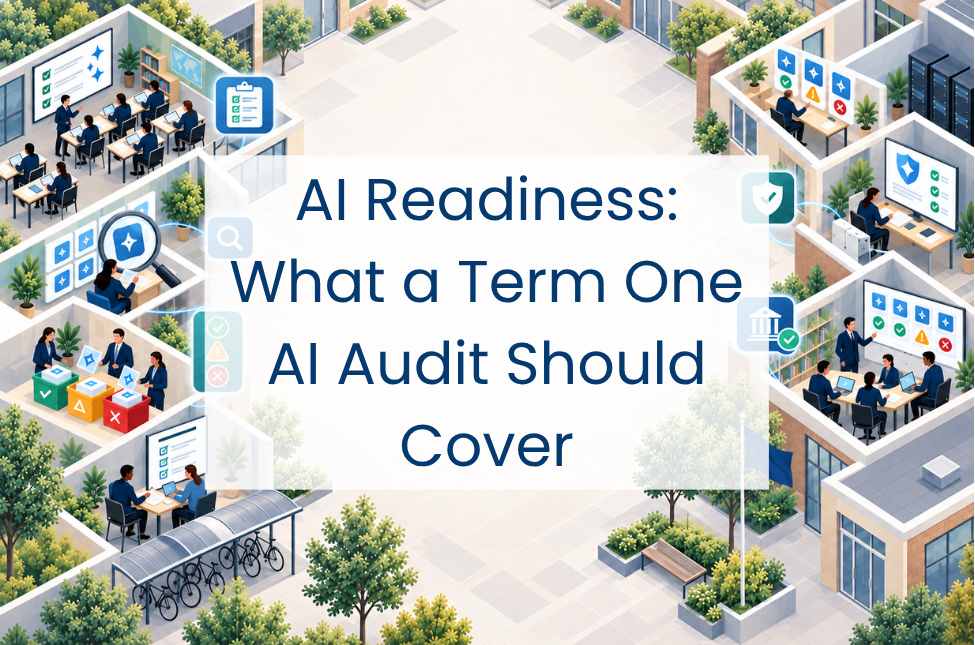
A simple red, amber and green status can help leaders prioritise the next steps. Unapproved tools receiving pupil or staff personal data warrant prompt review by the DPO, particularly where safeguarding information, special category data, profiling or automated decision-making is involved.
Audit checkpoint: One proportionate central record of current AI use, with a clear owner, review status and next action for each tool.
2. Align policy with practice
AI may be addressed through a standalone policy or across existing acceptable use, online safety, data protection and assessment policies. Either approach can work when the guidance is consistent, easy to find and relevant to the way AI is being used across the school.
A clear policy framework gives staff and pupils confidence about appropriate use. It should set boundaries around personal data, explain expectations for pupil use and academic integrity, address safeguarding concerns and make the approval process for new tools clear. Our AI policy considerations guide provides a useful reference point for reviewing these areas.
KCSIE 2026 came into force on 1 September 2026. It updates the online risk categories to include harmful interaction with generative AI applications that simulate contact and explicit images generated using AI. It also adds guidance and resources on the safe and effective use of generative AI in education. Policies based on earlier guidance may therefore need updating for the new academic year.
Written policy is only useful if people understand how it applies. A light-touch check of staff awareness can indicate whether colleagues know where to find the guidance, which tools are approved and how to raise a concern. Expectations for pupils and parents should be communicated in a way that reflects how AI is used in the school.
Audit checkpoint: A current and accessible policy framework with clear ownership and a review date, supported by communication that helps staff, pupils and parents understand what it means in practice.
3. Bring AI into safeguarding and online safety
An approved AI service can still produce unsafe or age-inappropriate content. Standard DNS or URL filtering can control access to the service, but does not necessarily provide visibility into every prompt or response within it. Schools therefore need a clear understanding of what their filtering and monitoring systems can see across AI platforms, managed devices and different locations.
KCSIE 2026 says that filtering and monitoring effectiveness should be reviewed at least once every academic year by the SLT member responsible for filtering and monitoring, with support from the DSL and IT support. The review should include recorded checks across all internet-connected devices and relevant locations.
Schools and colleges should also consider reviewing their wider approach to online safety annually. This should be supported by an annual risk assessment reflecting the risks their pupils face.
These reviews provide a natural place to consider AI-related risks alongside existing online harms. Particular attention may be needed around harmful content, simulated contact, AI-generated explicit imagery and the disclosure of personal information. Any actions can sit within the school’s existing risk-management arrangements.
AI-related concerns can also follow established safeguarding routes. Staff and pupils need to know how to report a concern, regardless of whether it began in an approved platform, a personal account or a shared image.
Staff should record and report the concern without viewing, copying, printing, sharing, storing or saving explicit imagery. The DSL should then follow the school’s child protection procedures and current UKCIS guidance. This may include seeking advice from the police or children’s social care.
Audit checkpoint: A recorded filtering and monitoring review and associated checks, AI risks built into the online-safety assessment, and a tested reporting route understood by staff, pupils and the safeguarding team.
4. Give AI clear ownership
The use of AI has implications for curriculum, safeguarding, data protection, procurement and IT, so responsibility can easily become fragmented. Clear ownership helps the school consider these areas together and maintain a consistent approach.
Some schools may appoint a named AI lead, while others may place responsibility within an existing digital, curriculum or data protection role. The person responsible needs sufficient authority, access to relevant expertise and a clear route into SLT.
Governor oversight can also sit within existing arrangements. Updates on current use, significant risks, expenditure and educational impact can form part of established board or committee reporting, with material discussions and decisions recorded through the usual minutes. Where an audit identifies longer-term priorities, these can be tracked through the school development plan or another existing action plan.
Training and professional development should reflect the responsibilities involved. The person coordinating AI will need to draw on the expertise of the DSL, DPO, IT lead, SENCO and curriculum leaders across the different areas of responsibility.
Audit checkpoint: A named senior owner for AI, appropriate governor oversight evidenced through existing reporting or minutes, and priority actions with named owners and review dates.
Clarity for the year ahead
With a clear view of current use, schools can develop effective practice, address higher-risk use and keep responsibility for follow-up work visible throughout the year.
Where external expertise would be useful, Everything ICT can provide access to suppliers able to support the review or the actions that emerge from it. Speak to our team to explore the available options and find an approach suited to your school’s priorities.