

Choosing the right desktops and monitors doesn’t have to be difficult.

Don’t spend hours comparing models, we can help with that.

Our education technology specialists work directly with schools to identify the best-value, best-performing desktops and monitors – and we handle all the purchasing, supplier management, and delivery.

Complete the form and someone from our team will be in contact to talk you through a shortlist of options, hand-picked, tested, and trusted by UK schools.

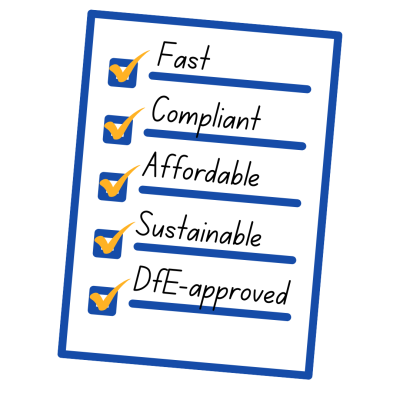
Desktops and monitors that tick all the boxes

Whether you’re upgrading devices or planning a refresh, we select from pre-approved suppliers, providing you with competitive quotes in hours, not days or weeks.

It’s procurement made simple from one trusted place. We’ll get you the right product, for your school, at the right price. (PLUS we plant a tree with every order).

All available through Everything ICT: fast quotes, compliant procurement, and climate-positive impact.

ICT technology that ticks all the boxes for schools

Smart choices, simple procurement with Everything ICT

Get the right equipment for classrooms and office spaces – without getting lost in technical detail or procurement rules.

Match performance to the role

Admin and MIS: Modern multi-core CPU, 8–16GB RAM, SSD storage.

General classroom use: Reliable CPU, 8GB+ RAM, SSD, onboard graphics are
usually sufficient.

Specialist rooms (computing, STEM, media): Higher-end CPU and, where
needed, dedicated graphics.

Standardise where you can

Limit the number of models to simplify imaging, support and spares.

Agree a small set of “standard builds” across your school or trust.


Form factor and space

Tower / Small Form Factor (SFF): Good for ICT suites and offices, more
expansion.


Mini / Ultra-small: Mount behind monitors to save space in classrooms.


Longevity and warranty

Check RAM and storage can be upgraded.

Look for 3–5 year warranties, with on-site options where possible.

Build a refresh plan (e.g. 4–5 year lifecycle) into your budget.


Energy use

Compare  power and efficiency ratings, not just purchase price.

Use power management policies to reduce out-of-hours usage.

Not sure on the right balance? We can help you shape a device strategy that matches your teaching, not just the spec sheet.

Here's how it all works...

Tell us about where you need desktops and monitors

Send a quick enquiry without any lengthy forms or tendering.

We help you find the right suppliers

We connect you with trusted, DfE-approved suppliers.

Award contracts your way (3 quotes, mini-comp, and more)

No more spending time finding comparisons, we do this for you.

Stay compliant and supported

Everything ICT ensures compliance, value and delivery support.

Monitors – what to prioritise

Size and resolution

  • 22–24″Full HD suits most users.
  • Larger or higher resolution screens may be appropriate for SEN, art or media.

Ergonomics

  • Height-adjustable stands for shared desks and staff workspaces.
  • Tilt and rotate options support better posture and reduce strain.

Panel type and viewing angles

  • IPS panels often give better colour and wider viewing angles – useful when several
    pupils share a screen.

Ports and compatibility

  • Check desktops and monitors have matching ports (e.g. HDMI, DisplayPort,
    USB-C).
  • Include any required cables/adapters in the order.

Built-in extras

  • Speakers to reduce separate kit.
  • Webcams (with privacy shutters where appropriate) for staff and meeting rooms.

Windows 11, make it part of the spec

  • Confirm that desktops meet Microsoft’s Windows 11 requirements.
  • Allow extra RAM and storage for future updates and applications.
  • Plan how you’ll manage a mix of Windows 10 and Windows 11 devices during
    transition.

New, refurbished and recycling

Refurbished devices

  • Use in general classrooms, admin areas and temporary spaces.
  • Ensure devices are data-wiped, graded and supplied with clear warranties.

Recycling and disposal

  • Include collection and secure data destruction when replacing old devices.
  • Ask for recycling certificates and ensure compliance with environmental
    standards.

We work with top brands

Why schools trust Everything ICT

Confidence in every procurement backed by experience and results.

Join 6,000 schools and MATS choosing smarter ICT procurement to save more, waste less, and build a greener future, without compromising on compliance or quality.

in Public Sector Savings
£ 0 M+
5 Star Customer Reviews
0 +
Trees Planted
0 K+
Trusted Suppliers
0 +

What you get

Value
for money

DfE-approved
procurement framework

300+ pre-approved,
trusted suppliers

Flexible ways to award:
3-quotes, mini-comp, benchmarking

Free to use

Compliant, simple,
and risk-managed

Personal support at every
step – no portals

Trusted by MATs and LAs
across the UK

What other schools are saying...

Let’s get started with what your school needs…​

Choose value and sustainability. With Everything ICT, you can tick all the boxes, while taking small steps toward a greener future.

Fill in the form and we’ll help you find the right devices. We’ll follow up with a few quick questions, then share a shortlist based on your needs using devices tested and trusted by UK schools.

Wait, there's more

Through the DfE-approved Everything ICT framework, you can:

  • Get independent support to shape your specification using this checklist
  • Access pre-approved suppliers for new and refurbished kit.
  • Bundle in imaging, installation, support and recycling.
  • Run compliant, quick procurements without starting from scratch.


If you’re planning a refresh or new rollout, start with our guides:

Next step: Share this guide with your IT lead or business manager and contact Everything ICT to talk through your desktop and monitor screen plans.

Untitled (800 x 800 px)