
School networks support much of what keeps the day running smoothly, from classroom learning to attendance, safeguarding and communication with families. Keeping those services reliable is a shared priority for IT teams and school leaders, especially as ransomware continues to affect education in 2026.
The NCSC’s latest annual review shows that attackers still rely on familiar weaknesses to gain access, including stolen login details and unpatched systems. It also highlights how ransomware can lead to stolen data, disruption and a lengthy recovery.
For school leaders and IT teams, this evidence can help guide investment and decisions about protecting critical systems. Reviewing how attackers gain access, how far they could reach and how recovery would work helps schools set priorities around their own resources and operational needs.
1. The threat landscape: Why education remains exposed
Schools need to keep a wide range of sensitive information both accessible and secure, from pupil and safeguarding records to staff details and financial data. IT teams often manage this responsibility alongside day-to-day support, tight budgets and infrastructure that has developed over many years.
The scale of the challenge is reflected in the government’s Cyber Security Breaches Survey 2025/2026. It found that 49% of primary schools and 73% of secondary schools had identified a cyber breach or attack in the previous 12 months. Among those schools, 90% of primaries and 96% of secondaries reported phishing. These figures cover cyber incidents more broadly than ransomware, but they show how frequently schools encounter attempts to gain access through email.
When an attack leads to stolen data, the effects can continue long after the initial disruption. Following the ransomware attack on its education network in May 2025, West Lothian Council was still updating families about stolen data in March 2026.
For school leaders, this makes the wider demands of recovery an important part of planning. Alongside restoring systems, schools may need to fund additional technical support, allow for staff time, keep families informed and meet data protection reporting requirements. Considering these needs in advance helps leadership and IT teams agree priorities and allocate resources.
2. How attackers get in: Four routes worth reviewing
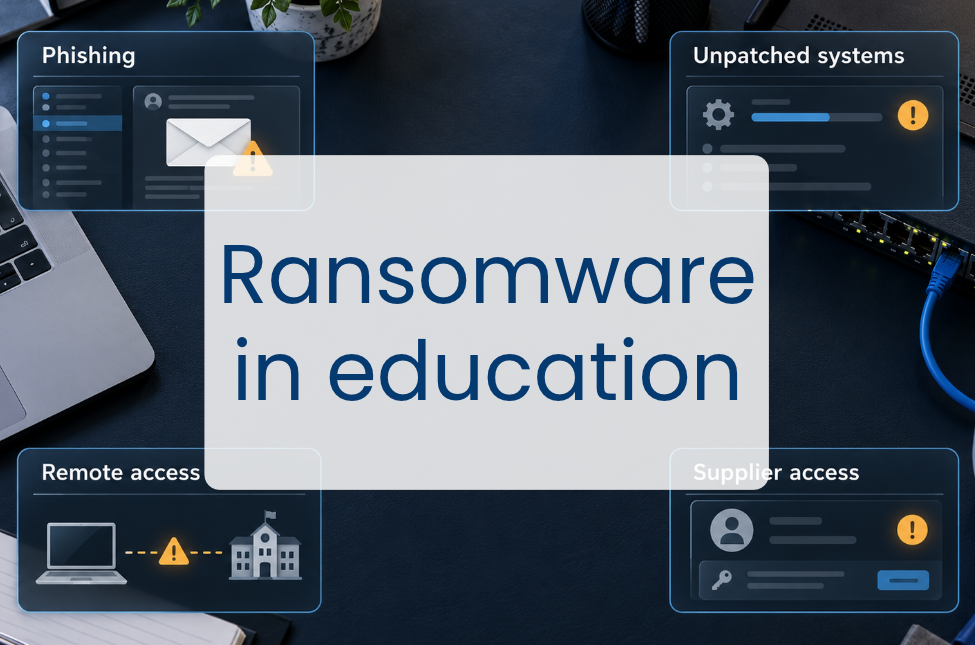
Many of the routes used by ransomware attackers involve systems schools rely on every day, including email, remote access and supplier accounts. Looking at how these are used and maintained can help schools identify where additional protection would be most valuable.
Phishing and malicious email
A phishing message can be difficult to recognise when it appears to come from a colleague or familiar supplier, especially during a busy school day. Links to fake sign-in pages can capture login details, while attachments may introduce malicious software.
Multi-factor authentication (MFA) helps protect staff email, remote access and administrator accounts if a password is stolen. Alongside this, brief training and regular reminders can help staff recognise suspicious messages, with a straightforward reporting process making it easier to raise concerns.
Unpatched systems
Keeping systems up to date can take coordination, particularly where maintenance needs to fit around teaching. Until security updates are installed, attackers may be able to exploit known flaws in a school’s software or network equipment to gain access to its systems.
Reviewing security updates each week helps IT teams decide what needs attention, while automated installation can ease the workload where suitable. The DfE cyber security standard requires certain security fixes to be applied within 14 days of release. If attackers are already exploiting a flaw in a system the school uses, it needs urgent attention. Including urgent term-time updates in maintenance planning helps IT teams respond quickly.
RDP and exposed remote access
Remote access allows staff and support providers to connect to school systems from off-site, but poorly secured connections can also give attackers a way in. Stolen login details and unpatched remote access software can leave these connections exposed.
Reviewing how staff and suppliers connect helps IT teams identify access that can be removed and check that the connections still needed are properly protected. This includes keeping remote access software up to date, using MFA and restricting RDP access through a secure gateway or VPN.
Third-party and supplier credentials
As suppliers and contracts change, access arrangements can be easy to overlook. An account left active after work finishes, or supplier login details that have been stolen, can give attackers a way into the network.
Regular access reviews help IT teams check that each supplier can access only the systems needed for their work. Giving individuals their own accounts makes activity easier to trace, while setting expiry dates for temporary access and removing accounts when contracts end reduces the chance of old permissions being misused.
3. Network segmentation: Limiting how far an attack can spread
As schools add classrooms, devices and services, their networks grow to accommodate them. Over time, pupil laptops, staff devices, printers and administrative systems can end up on the same network with few restrictions on the connections between them. This is often described as a ‘flat’ network, where an attacker who gains control of one device may find it easier to reach other systems.
Network segmentation helps contain an attack by separating devices and systems into virtual local area networks (VLANs) and controlling traffic between them. Pupil devices, for example, can access learning services without having a direct connection to the school’s finance server.
Where segmentation is limited, separating administrative and financial systems from the wider network provides a practical starting point. Safeguarding systems also deserve priority because of the sensitive information they hold. Before making changes, IT teams can check which connections these services need, then test that authorised users still have access.
Managed switches with VLAN support allow schools to separate their networks, while firewall rules or access controls limit what can pass between them. Reviewing existing equipment and settings can help IT teams identify whether changes or upgrades are needed. The DfE network switching standard can inform those decisions. Recording permitted connections and reviewing them as services change helps maintain the protection over time.
4. Backups: Making recovery a workable plan
A school may have backups in place without knowing whether they would survive a ransomware attack or how long restoration would take. Reviewing their protection and testing recovery gives IT teams and leaders a clearer picture of what they can rely on.
The familiar 3-2-1 rule provides a useful starting point: three copies of data, on two different media types, with one copy off-site. This gives schools alternatives if a copy fails and reduces the risk of a single incident, such as a fire or equipment failure, affecting every copy.
Backups need protection too, as attackers may try to change or delete them. Cloud file synchronisation can copy unwanted changes, including encrypted files or deletions, so schools need to check that they have separate copies they can recover from. The DfE standard calls for immutable backups, which cannot be changed during a set retention period. Keeping backups offline also helps protect them by disconnecting them from the network. The NCSC’s ransomware-resistant backup guidance can help schools review these arrangements with their provider. While backups help restore systems and data, they cannot undo the theft of sensitive information.
Testing restoration shows whether those arrangements work. The DfE cyber security standard calls for termly testing and logging, with further tests after significant changes. Recording what was recovered, the time taken and any difficulties helps identify improvements.
Leadership and IT teams can agree two targets for each critical service: the Recovery Time Objective (RTO), how quickly it needs to be restored, and the Recovery Point Objective (RPO), how much recent data the school can afford to lose, measured in time. Restoration tests help check whether those targets are achievable, while leadership can confirm they meet the school’s operational needs.
Turning the briefing into a network review
For schools reviewing their network strategy, these priorities provide a starting point alongside the school’s cyber risk assessment and incident response plan, helping IT teams and leaders agree what needs attention now and where investment is needed.
If your review identifies a need for new infrastructure, security or backup services, Everything ICT helps schools and trusts access education-focused suppliers through a compliant buying process.
If you’re reviewing provision or planning investment, contact our team to talk through your requirements and compliant procurement options.