For many schools, reviewing network infrastructure sits alongside a long list of everyday demands, from managing budgets and contracts to supporting staff and planning device refreshes.
With budgets stretched and priorities competing for attention, some issues naturally feel more urgent than others. Cyber incidents make headlines. Filtering failures prompt safeguarding reviews. An ageing switch can carry on quietly for years, while wireless limitations may only become apparent when a whole class starts an online assessment together.
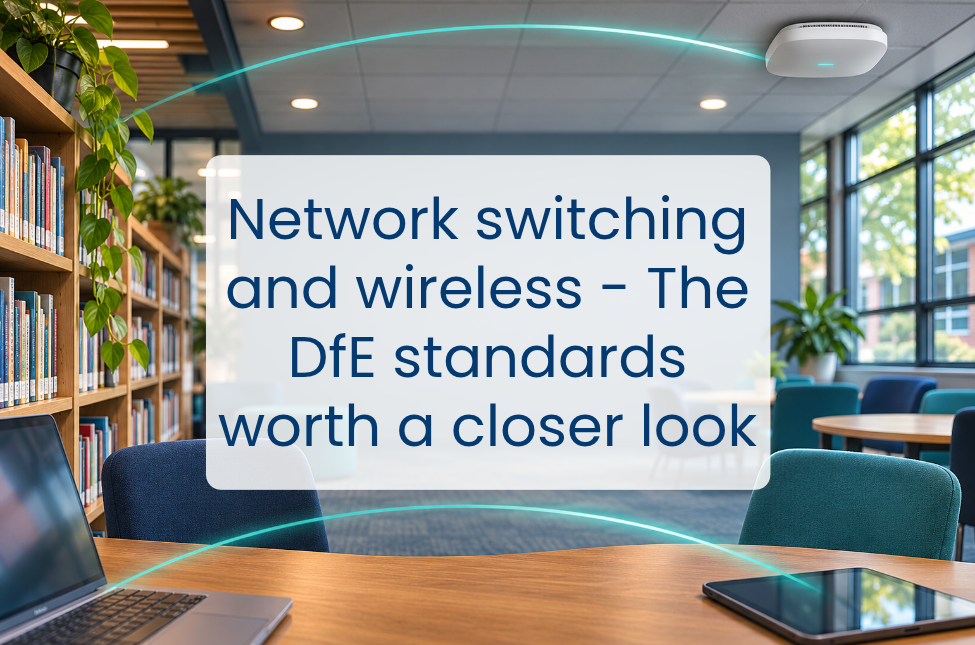
This can leave questions about capacity, security and manufacturer support waiting for the next upgrade cycle. The DfE’s network switching and wireless standards provide a useful starting point for reviewing those areas and planning investment. Here, we look at what they mean for schools, what to ask your IT team or supplier and how to plan improvements.
Network switching: what does meeting the standard involve?
School networks often grow over several years, with equipment added as classrooms change, buildings expand or new devices arrive. A review of the DfE switching standard can help establish how well those different parts work together, covering performance, central management, security and resilience.
Four areas are particularly relevant when reviewing existing switches.
Managed switches across the estate
Managed switches allow IT teams to change settings, monitor performance and control network access. A school may have managed switches at the centre of its network, alongside smaller unmanaged switches added to classrooms or separate buildings during earlier projects.
Those additions may still provide reliable connections, while sitting outside central monitoring and control. Your IT team or supplier can identify where managed replacements would improve oversight and make security settings more consistent.
Segmentation that works in practice
Network segmentation separates devices and systems into different areas, using technology such as Virtual Local Area Networks (VLANs). These might separate pupil devices, staff devices, administration systems, guests and equipment such as printers and cameras.
The rules controlling traffic between those segments determine what each group can access. Reviewing these rules helps maintain connections needed for teaching and administration, while restricting access to sensitive systems.
Powering connected equipment
Power over Ethernet (PoE) allows equipment such as wireless access points, phones and cameras to receive power through their network cable.
When upgrading or adding equipment, your IT team or supplier can confirm whether existing switches can supply enough power. Spare connection ports do not necessarily mean a switch can support more devices, so this check can help identify additional replacement costs before budgets are agreed.
Current manufacturer support
An older switch may still perform reliably, making the end of manufacturer support a less visible reason to plan its replacement. Once manufacturer updates end, however, any newly identified security vulnerabilities may have no available fix.
Recording support end dates gives schools time to plan replacement within future budgets. For new switches, the DfE specifies at least five years of manufacturer warranty and support, including firmware updates and relevant licences. Its guidance also calls for replacement when equipment can no longer receive firmware and security updates.
Together, these checks can help shape a switching upgrade plan. The wider review should include whether connections between different parts of the network can handle demand, and how critical equipment would cope with a power outage or failure.
Wireless: coverage is only part of the picture
Wireless networks may have been installed when fewer devices were in use and classroom activities placed lighter demands on connectivity. As that use changes, reviewing coverage, capacity and management together can help establish whether the existing setup still meets the school’s needs.
Coverage wherever devices are used
The DfE expects a functional signal throughout buildings and externally where required. Alongside classrooms, this may include specialist rooms, halls used for assessments, pastoral spaces and outdoor learning areas.
Matching coverage to how those spaces are used can help identify gaps that may be missed during routine checks, particularly in rooms where devices are used less frequently.
Capacity for simultaneous use
A reliable connection for a few devices may not reflect how the same space will perform with a full class online.
The standard calls for enough capacity to support the number of people expected to use each space at the same time. This depends on the applications being used as well as the number of devices connected.
If coverage or capacity is uncertain, ask your IT team or supplier for a wireless survey. This can include a heatmap showing signal coverage, alongside an assessment of how the network will perform during typical classroom or assessment activity. A strong signal alone does not confirm that a full class can work reliably.
Central management and consistent security
Central management allows IT teams to configure access points, monitor performance and receive failure alerts. The DfE standard also covers manufacturer support, security updates and secure authentication.
Consumer routers used as access points may sit outside central management. Replacing them with managed access points can close these gaps and support consistent security settings, including separate guest access.
Wi-Fi generation and upgrade planning
Current DfE guidance specifies Wi-Fi 7 as the minimum when an underperforming or unsupported wireless network needs upgrading. Before buying, ask your supplier to confirm whether existing switches, cabling and school devices can support the proposed solution and where additional spending would be needed.
Where classroom performance is inconsistent, a wireless survey can help identify the cause. Access points positioned in corridors for coverage may need repositioning or supplementing to support more devices within classrooms.
For further guidance, the DfE’s wireless network standard explains the requirements. Its digital estate guidance offers practical advice on coverage and suggests asking suppliers to include a Wi-Fi site survey in their proposals.
Why these gaps deserve attention now
School networks are supporting more devices, cloud services and online assessments, with AI tools adding another consideration for planning. Infrastructure that handled previous demand reliably may now be reaching its limits, making capacity and resilience increasingly relevant to future investment.
Preparing for AI tutoring
The government aims to make AI tutoring tools available to schools by the end of 2027, with the potential to support up to 450,000 disadvantaged pupils annually.
For schools considering these tools, testing the intended application with a full class can help assess readiness, particularly where audio or video increases demand.
Segmentation helps contain cyber incidents
If an attacker gains access to one device, segmentation can help restrict their ability to reach other systems. NCSC recommends separating systems that do not need to communicate and controlling access between them.
A switching review can also support ransomware resilience by checking whether access rules enforce the intended boundaries between segments.
Leaders need a clear picture
Ofsted’s inspection toolkit considers how effectively leaders and governors use resources, including digital technologies. Findings from the network review can inform those discussions, giving leaders a clear view of remaining gaps, proposed costs and progress against agreed priorities.
Planning improvements around your school
The review findings can be brought into a phased plan, with costs, dependencies and delivery dates attached to each priority. Unmanaged or unsupported equipment can be prioritised according to risk, while larger upgrades can be scheduled around available budgets.
Planning during the autumn gives schools time to agree specifications and arrange procurement ahead of summer installation, with earlier maintenance windows reserved for more urgent work.
Everything ICT can support below-threshold purchases in line with your school or trust’s local procurement policy, or manage the procurement through our compliant framework for higher-value projects.
For multi-year agreements, the total cost, including VAT, should include costs across the full contract term and any extension options. Factoring in installation, support, licences and training from the outset helps avoid unexpected costs and makes supplier quotes easier to compare.
Support with the next step
If your review has identified a need for switching or wireless upgrades, Everything ICT can help turn those findings into a procurement brief and gather quotes from suitable suppliers. Our team can also support you through the buying process, helping you keep plans aligned with your budget and delivery timetable.
Speak to our team to talk through your requirements and the compliant procurement options available.