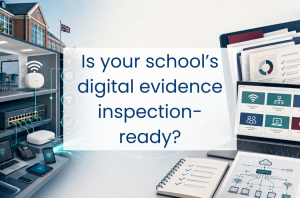

Most schools already have one or more policies covering cyber security. The bigger question is whether they can quickly show that those policies are being put into practice.
From 7 September 2026, Ofsted inspectors will use an updated inspection toolkit. Within leadership and governance, the toolkit looks at how effectively leaders and governors use resources, including digital technologies.
Cyber security will not receive a separate grade, and the toolkit does not set out a specific cyber security checklist. However, it may be relevant to wider discussions about safeguarding, continuity, the use of resources, and how well leaders and governors understand and manage risk.
Why cyber now matters to Ofsted
Cyber security is one of the Department for Education’s six core digital and technology standards. The other five cover broadband, wireless networks, network switching, filtering and monitoring, and digital leadership and governance. Schools should be working towards meeting all six by 2030.
A cyber incident affecting email, cloud services, the MIS, finance systems or network access can quickly disrupt safeguarding, teaching, communications and payroll. Understanding how those systems are protected, and how the school would respond if they became unavailable, is a leadership and governance responsibility as well as a technical one.
The new five-point grading scale comprises exceptional, strong standard, expected standard, needs attention and urgent improvement. Expected standard means the school is doing what it should be, in line with the relevant guidance and professional standards, rather than reflecting the previous “good” judgement.
Digital improvement work may still be underway when an inspection takes place. Leaders should be able to explain any remaining gaps, the risks they create and the action being taken.
Questions leaders should be able to answer
For heads and deputies, the key themes are ownership, assurance and governance. Useful questions include:
- Incident response: Whether the school has a current incident response plan, when it was last reviewed or tested, and whether the named contacts and escalation routes are still correct.
- Governor oversight: How cyber risk is reported to governors, with supporting evidence such as meeting minutes, committee reports or entries in the risk register.
- Multi-factor authentication: The school’s current level of MFA coverage across email, cloud services, remote access, MIS, finance systems and administrator accounts, including plans for any remaining gaps.
- Backups: How leaders receive assurance that backups can be restored, supported by the date and outcome of the most recent restoration test.
- Responsibility and expertise: Who holds overall responsibility at SLT level, who manages the technical work, and how the school maintains access to suitable skills, training and support.
Practical checks for IT leads
For IT leads and network managers, useful practical checks include:
- Monitoring and alerts: Which systems and services are monitored, who receives alerts and how they are escalated. Where monitoring is handled externally, the school should understand when and how it will be contacted.
- User account reviews: When accounts and access rights were last reviewed, how quickly leavers are disabled and whether dormant or unnecessary accounts are removed.
- MFA coverage: Whether MFA extends beyond Microsoft 365 or Google Workspace to include the MIS, finance systems, remote support tools, cloud storage and administrator accounts.
- Patch compliance: Whether processes are in place to identify and complete critical and high-risk vulnerability fixes within the DfE’s 14-day timeframe, and how devices that are unsupported or cannot be patched are isolated and managed.
- Backup restoration: When data or a system was last restored, how long the process took and whether the recovered information was usable. Any problems identified during the test, and the action taken afterwards, can provide useful evidence that the process is being actively reviewed.
Evidence worth keeping together
Ofsted does not ask schools to prepare a separate cyber evidence pack. Most of this information should already exist in the school’s records. Making sure it is up to date and easy to find can make the school’s position easier to explain during an inspection:
- Incident response plan: Dated, version-controlled and updated with current contacts, responsibilities and reporting routes.
- Patch and update log: Recent evidence of updates, outstanding vulnerabilities, exceptions and follow-up work.
- Account audit record: Details of the latest review, including leavers disabled, unused accounts removed and access rights changed.
- Backup restoration record: What was restored, when it was tested, how long it took and whether the recovered data was usable. DfE guidance says backup testing should include recovery and restoration and should be logged termly.
- Governor meeting records: Evidence that cyber risk has been reported, discussed and followed up.
- DfE self-assessment: A current assessment from the Plan Technology for Your School service, with recommendations and named actions. DfE does not share the school’s information with Ofsted, but the assessment can help leaders show that the school understands its position.
- MFA deployment record: The systems covered, enrolment levels, exceptions and the plan for anything still outstanding.
Three common evidence gaps
- Partial MFA coverage: Email accounts may be protected while the MIS, finance system or other cloud services remain outside the rollout.
- Backups have not been restored: Successful backup reports confirm that copies have been created. Without a restoration test, the school cannot be certain that its data can be recovered.
- Outdated incident response plans: Named contacts may have left the school or supplier details may have changed, limiting the usefulness of the plan during an incident.
These gaps can often be addressed without a major project. Where work is still underway, recording the risk, planned action, responsible person and target date helps SLT and governors track progress. It can also demonstrate during an inspection that the school understands the issue and is taking a considered approach to resolving it.
A few focused hours now can save a scramble later
For many schools, much of the evidence already exists across technical dashboards, supplier reports, policies, risk registers and meeting minutes.
A focused review involving the IT lead and a member of SLT can bring that information together, confirm that dates and named contacts are current, and check that the technical records support the school’s understanding of its cyber risk.
If the review identifies any gaps, Everything ICT can help you source suitable suppliers for monitoring, backup, cyber security and wider ICT support through a compliant procurement route.
No portals, no unnecessary complexity. Just practical support from people who understand how schools work.