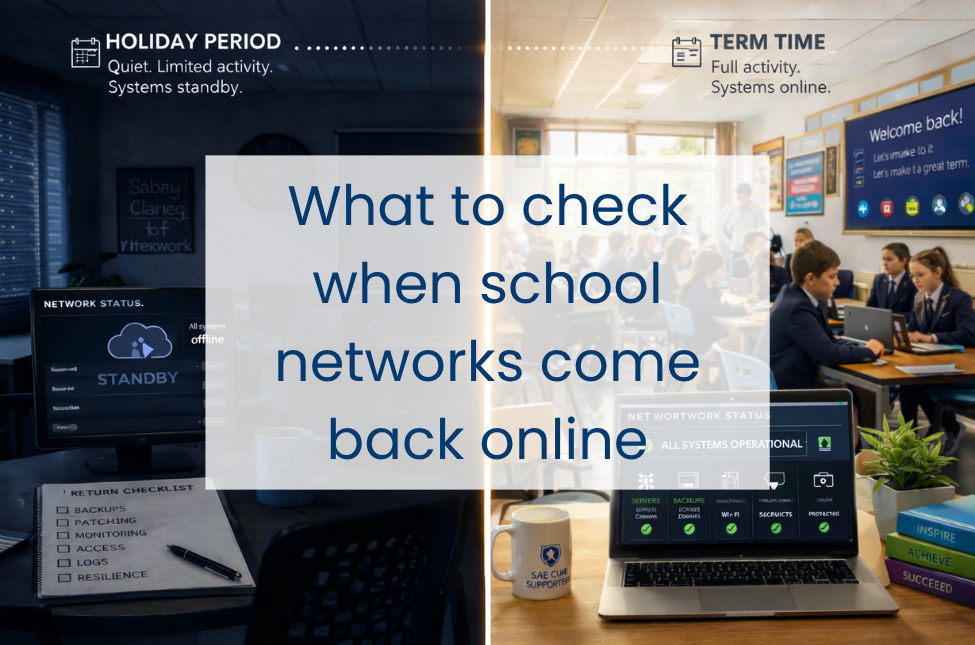
When school networks come back into full use after a holiday period, there are a few checks worth covering early. In some schools, those checks will be carried out in-house. In others, they will sit with an IT support lead, support partner or MSP. Either way, it helps to know which areas should be covered, why they matter, and what kind of assurance to look for before term gets fully underway.
During the break, some systems may have been quieter than usual, some devices may not have checked in, and routine issues can be easier to miss. Then term starts again, users return, devices reconnect and the network goes back to normal use.
That makes the first few days back worth treating as a proper operational checkpoint, not just a switch-on exercise.
Here is what to check when your school network comes back online, and where Everything ICT’s Department for Education-approved framework can help if extra support is needed without procurement slowing things down.
Why schools can be more exposed after a break
Holiday periods create a slightly odd set of conditions for IT teams.
Some systems stay running but aren’t closely watched. Some are powered down. Some tick along half-connected. Then, on the first day back, everything reconnects and normal use resumes. That can bring existing issues to the surface, or create new ones.
A few common examples:
Devices miss patches because they were off-site or shut down. Backup jobs report success, but recovery has not been tested recently enough to give real confidence. Accounts for leavers, temporary staff or short-term support can easily stay active longer than intended. Alerts get buried in noise. Logs build up quietly and only get looked at after something has already gone wrong.
That is the practical side of cyber resilience in schools. It is about knowing your systems are current, access is controlled, warning signs are visible and recovery will work if it is needed.
Start with backups, because resilience depends on recovery
Before you get pulled into printer tickets and password resets, make backup verification one of the first checks.
Backup status matters, but so does confidence in what sits behind it: whether recent jobs completed successfully, the right systems are included and recovery is possible within a useful timescale.
That means checking:
- the most recent backups for core servers and critical cloud data completed successfully
- no backup jobs failed or only partially completed during the holiday period
- storage capacity and retention settings are still where they need to be
- test restores have been carried out recently enough to give real confidence in recovery
If test restores have not been verified recently, that should move up the list. A backup only proves its value when you can recover from it cleanly.
Check patching across servers, endpoints and network kit
Patching is the next area worth checking. Holiday periods are often when patching is scheduled, but in practice it is often inconsistent. Some devices were offline. Some updates failed silently. Some network appliances were left pending because nobody wanted to risk disruption before the break.
Priority should go to servers, firewall and filtering appliances, switches, wireless controllers, staff devices, and anything used for safeguarding, access control or telephony.
This is where gaps, failed updates and version drift tend to show up. One or two missing updates may not be critical. A whole group of devices that missed a patch cycle is a different matter.
The less visible parts of the estate are often where patching is less consistent. Older curriculum machines, library devices, print servers and on-site management systems may sit outside the main focus, but they can still create cyber resilience risks if patching and review are less consistent.
Review monitoring while the network is still quiet
The first few days back can be one of the clearest points to see whether monitoring is giving you a reliable picture of the estate.
It is worth checking that core systems are reporting in as expected, failed checks are understood, and monitoring is still giving useful visibility across storage, CPU, bandwidth, certificate status and any devices that have gone quiet unexpectedly.
Systems that would normally be active but are suddenly silent are worth a closer look. Sometimes that silence is harmless. Sometimes it means a device or service has dropped out of view.
The same applies to alerting. If alerts are going to a mailbox that is not routinely watched, or thresholds have drifted to the point where genuine issues are less likely to be picked up, that is worth tightening early.
From a cyber resilience point of view, this matters because visibility affects response. The sooner unusual behaviour, failed reporting or missing devices are spotted, the easier it is to act before they become a larger problem.
Check that access still reflects the people who should have it
Holiday periods are one of the easier times for accounts and permissions to drift out of line with day-to-day reality.
Staff move on. Temporary permissions stay in place. Service accounts get overlooked. Suppliers retain access longer than intended. Pupils return with changed status but old access profiles.
It is worth checking that:
- leavers and joiners have been processed correctly
- privileged accounts are still appropriate
- stale or dormant accounts have not been left in place
- MFA is in place for admin access
- third-party and remote access accounts are still needed
- any exceptions granted before the break are still justified
The immediate aim is to confirm that access still reflects the people who should have it and only them. Unnecessary access is often the easiest access to misuse. The risk is not always obvious or dramatic. Sometimes it is simply an old account, a temporary permission or an exception that stayed in place longer than intended.
What logs can tell you early on
Log analysis is one of those jobs that can slip down the list when everything else is competing for attention. After a holiday period, it is worth bringing it back into view.
Logs from core infrastructure, firewalls, filtering, endpoint protection, backup platforms and identity systems can help show whether anything unusual happened while usage was low or as systems came back online.
That might include repeated failed logins, unusual admin activity, blocked outbound traffic, disabled protections, service failures or devices communicating in ways that do not fit the normal pattern.
Even a relatively quick review can help show whether the return from a break looks routine, or whether something needs closer attention.
Logs often provide the earliest indication that a control has failed, an account is being misused or a device is behaving unexpectedly, giving IT teams a better chance to act early and maintain cyber resilience.
Treat the first week back as a resilience check
The first few days after a holiday can tell you a lot about the state of the environment. They often bring small weaknesses into view before they turn into bigger problems.
Which devices missed maintenance. Which systems are more fragile than they looked. Which checks still rely too heavily on manual work. Which risks are being carried forward because there has not yet been time to deal with them properly.
That is where cyber resilience becomes real: when core controls are holding up, access is still appropriate, warning signs are visible and recovery remains achievable if something goes wrong.
The return-to-school period is a useful chance to tighten those basics early, while there is still time to act on what the checks uncover.